Once your plan is selected and your assistant is created, the next step is to connect your assistant to WhatsApp.
Setup differs slightly for Community vs Business assistants.
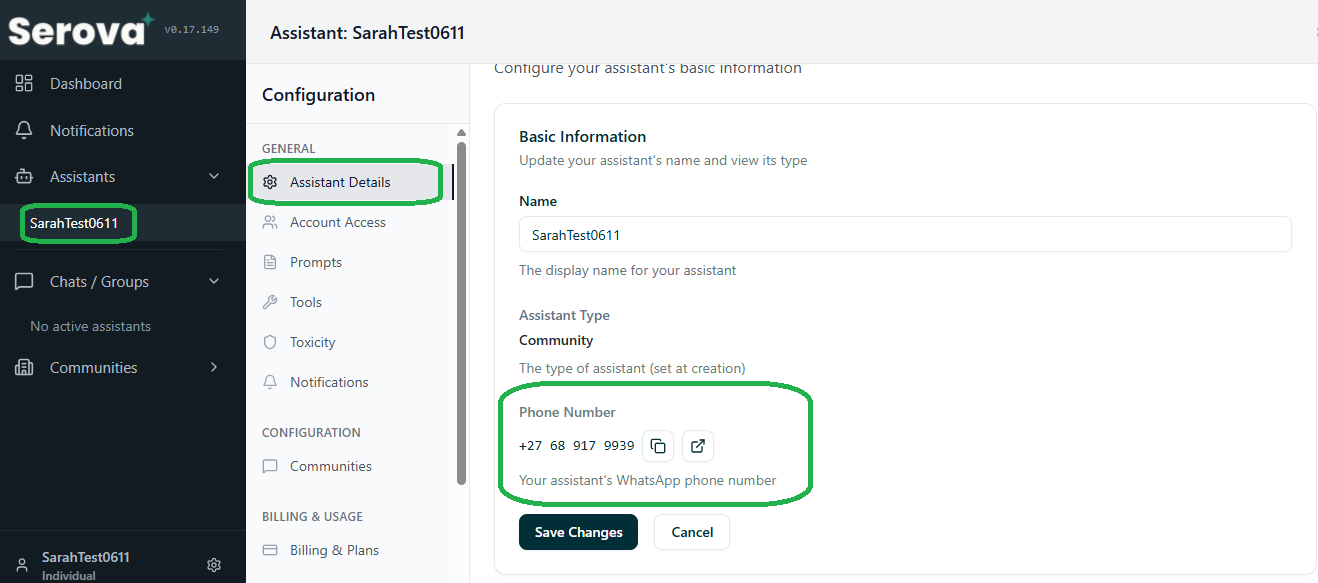
¶ Step 1: Locate Your Assistant’s WhatsApp Number
Once your assistant is activated, find the number under:
Dashboard → Assistants → Assistant Details
A Serova Agent will confirm activation.
¶ Step 2: Save the Assistant Number
Save the number in your phone’s contacts before proceeding.
¶ Step 3: Adding the Assistant (Communities)
If using a Community Assistant, add it to your WhatsApp groups:
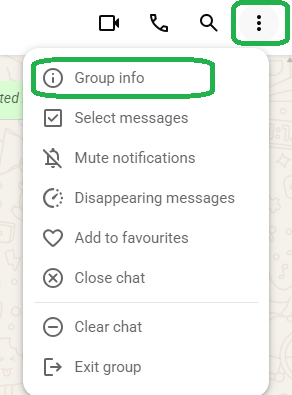
- Open your WhatsApp group
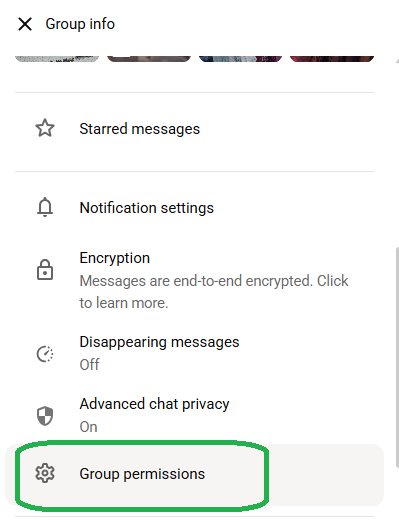
- Tap Group Info
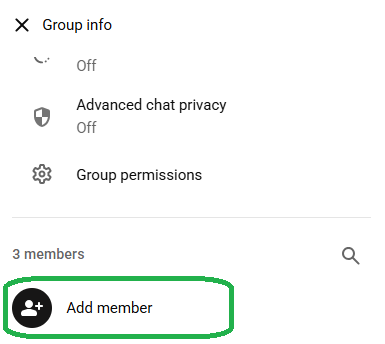
- Select Add Participant
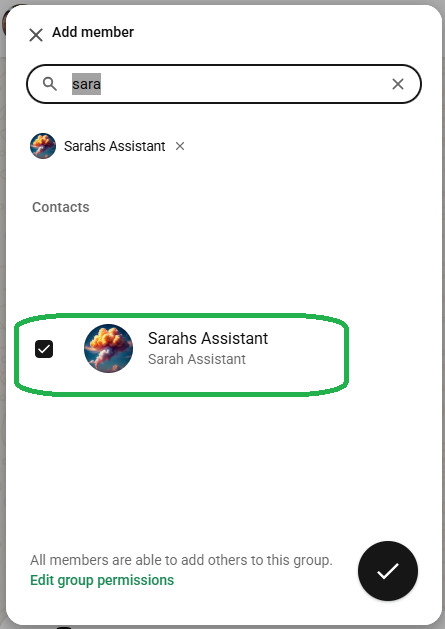
- Choose your assistant’s number
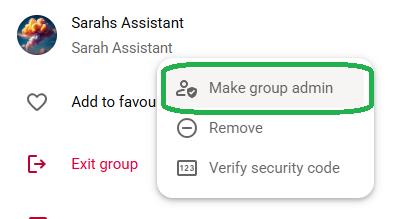
- Promote the assistant:
- Group Info → Participants
- Tap the assistant → Make Admin
¶ Why Admin Access Is Recommended
We recommend making your assistant a group admin. Admin rights allow it to take moderation actions (such as removing participants) and help ensure reliable operation.
Monitoring messages, detecting harmful content, assisting members, providing insights, and sending admin alerts do not require admin rights — the assistant can do these as a regular participant.
¶ Step 4: Adding the Assistant (Businesses)
If using a Business Assistant, communication occurs in 1-on-1 chats.
You may use:
- A Serova-provided number, or
- Your WABA number (via integration)
WABA steps vary and will be covered in Connecting Your WABA Number.
For now, save the number to your device.
¶ Step 5: Test Activation
Send:
“Hello”
A working assistant will:
- Respond
- Begin monitoring groups (community assistants)
- Start logging messages
- Begin analytics
¶ Step 6: What Happens Next
A Serova Agent will help you:
- Add information
- Upload documents
- Train your assistant
- Configure prompts
- Set rules and behaviour
- Assist with WABA for business users
- Finalise activation
¶ Next Step
Continue to:
➡️ PAGE 5 — Adding Information and Creating Prompts